Introduction
Friends, you might not know what website speed is. Let me tell you that when we visit any website, the image content gets loaded there and we get to know how much time it will take and how much time it will not take. This is called website speed. Now you will think whether there is any problem with this? The answer is yes, it can impact your website and brand. Let's find out how. What happens is that when a user visits your website and doesn't get a quick result, they may close it. Google bots will detect that people are opening and closing your website immediately. Google will assume that your website lacks quality content. Therefore, Google will stop showing your website in search results. If you've invested in it, you may incur losses. Therefore, it's important to have a fast website.
Now, there are many websites in which There are a lot of images. Now, there are a lot of images, which means the storage of the website will be more and the load will also increase. In that situation, we have to use the images by reducing their format and size so that there is not much load on the website because the maximum load is from images and videos. Therefore, you have to pay attention to this, but it is not necessary that due to this the speed of the website decreases. There are many reasons for this, which we will see in this article and also understand how to increase the speed.
1. How to Check Your Website Speed for Free
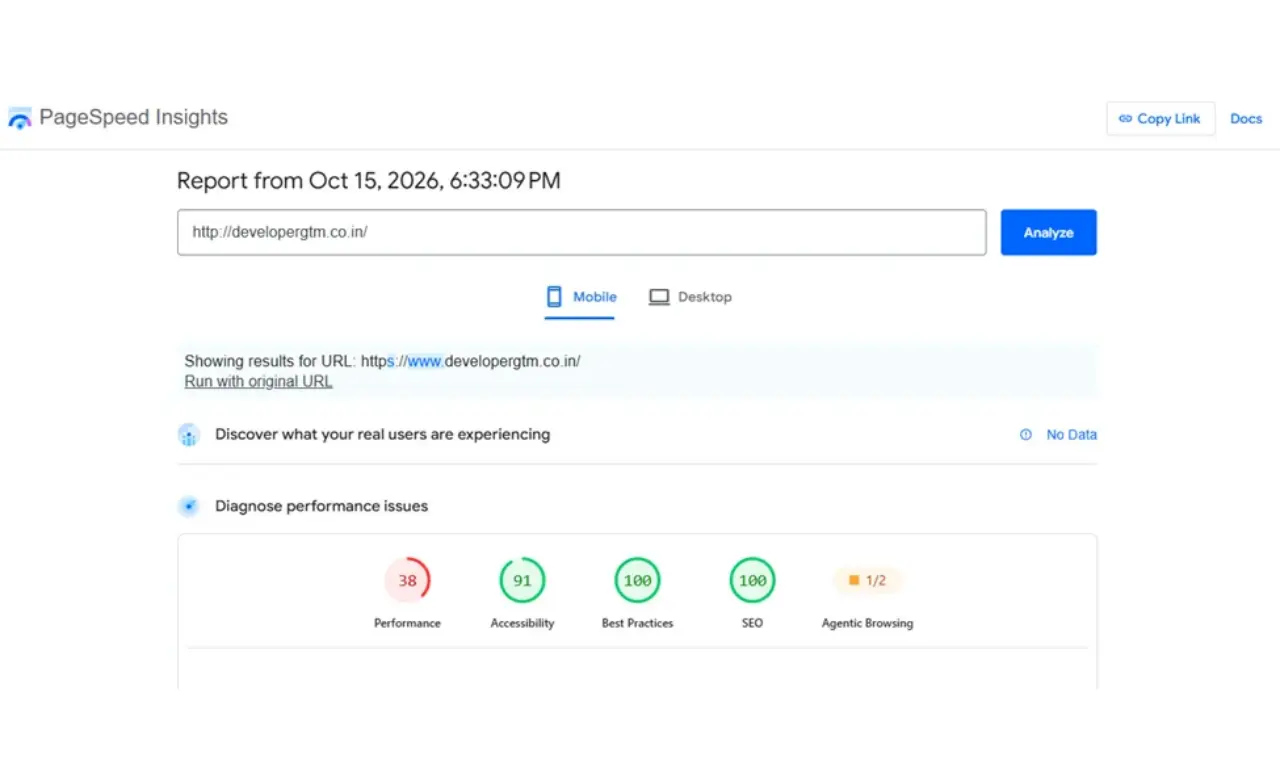
Friends, if we want to increase the speed of our website, then first of all we will have to check what is the current performance of our website because if we do not know that then there can be a problem. To check this, there is a free tool which you can use, in which you simply have to add the details of your website like link, then click on the analysis button and analyze it. Let me tell you a little why this is important, so see if the speed of your website has increased and if you make some changes and updates in it to increase the speed, then there can be a problem in the speed which was already fast. Therefore, it is important for you to check it and we often see educational websites where there is daily content or weekly posts, so it is very important to check the performance in them, so to check it, you have to follow the steps given below.
- First of all, you have to open the Pagespeed Insights website.
- Then you have to copy the link or URL of the website whose speed you want to check.
- Then paste that URL into the input provided on the website and click on the Analyze button.
- As soon as you click on the Analyze button, the speed of your website will start showing, one for desktop and one for mobile.
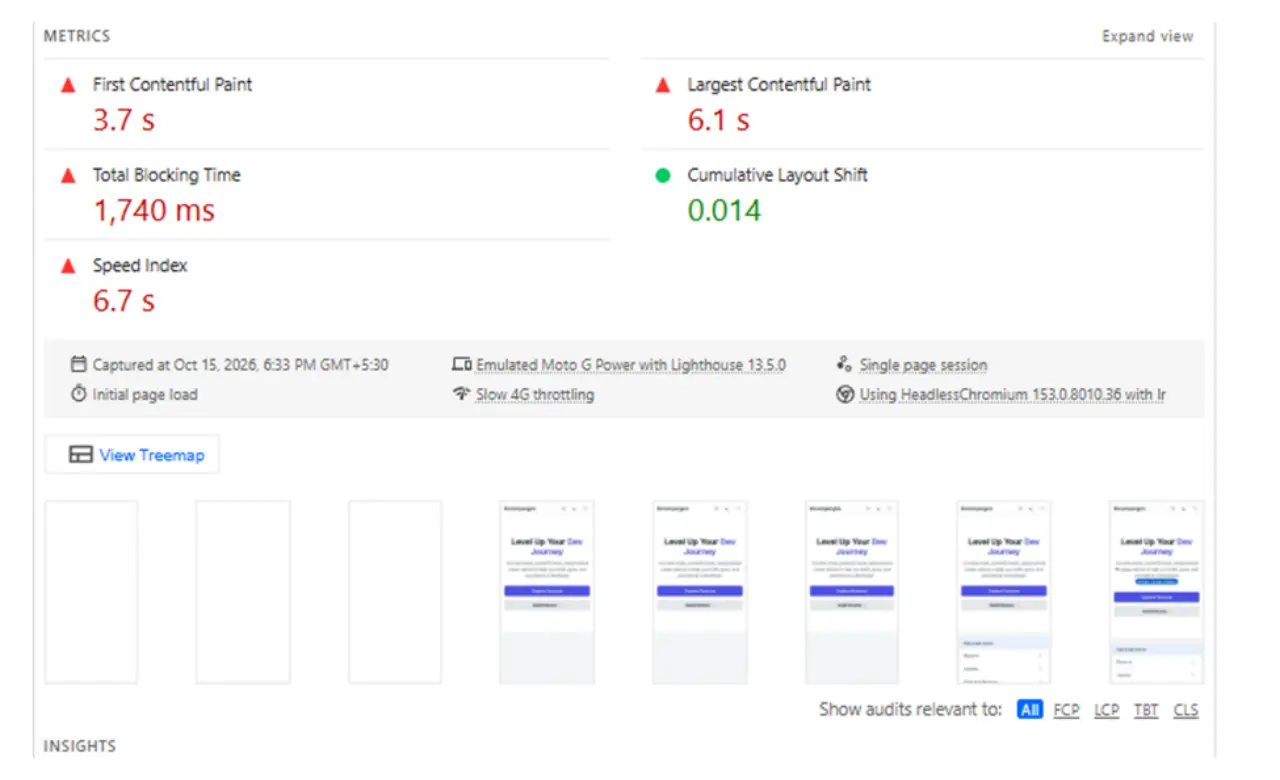
With the help of this tool, you can know the complete report of the website like performance, accessibility and SEO etc., after looking at which you can then improve and the good thing about it is that this website provides you a complete report like what is the problem in which section, how much time is it taking to load, so this makes it easy to learn the website.
2. Optimize Images to Reduce Loading Time
Many people don't realize this, but the biggest problem with website speed is images. If your website has a lot of images, it's crucial to improve them. If you neglect them, they can harm your website's performance. Images are large in size, which can be a factor in their use on your website. You can't upload just a few images. If your website has three or four images, it's fine. However, if there are too many images, your website may experience problems.
Therefore, you should consider formats like WebP or AVIF for using images on your website. You should also compress them, but be careful not to oversize the images to the point where they become blurry. If you're using large images on your website, resize them to fit the screen size. This will reduce the load on your website and make the images load faster. You may have seen many websites that take a long time to load. This is why you should never use images directly on the web. You should first resize and store them in WebP format, and then compress them if possible.
These are all tools you can use for free here. You can use these tools given below:
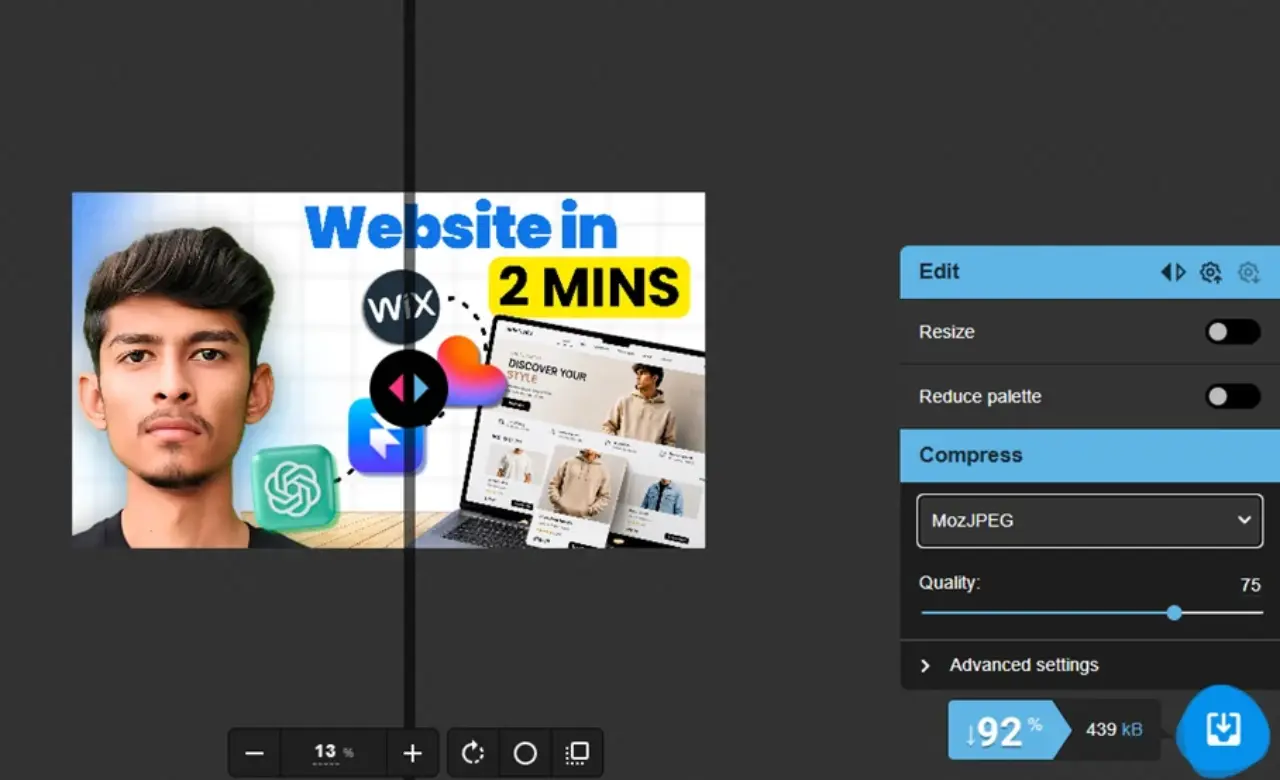
- squoosh.app: I personally use this website and it is an open source which is absolutely free, anyone can use it, in this you can upload images and change their format and this website works very fast, like if you want to convert it into WebP or any other format, you can do it easily through this in just a few seconds.
- tinypng.com: In this website, you can compress images, including videos, which makes it easy to maintain your website speed.
3. Minify CSS, JavaScript, and HTML
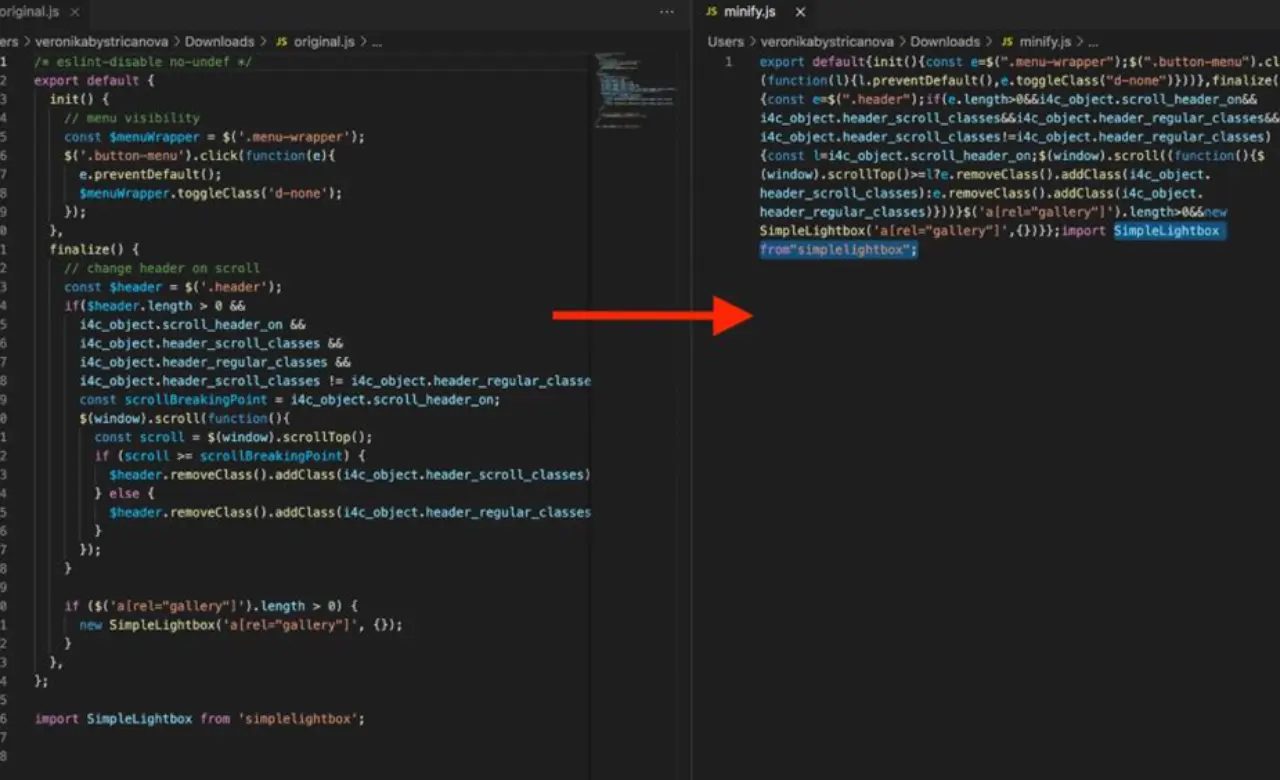
You must be aware that when we create a website, it contains a lot of code in which all the elements can be files, which we have to pay attention to carefully, but when we have a lot of code files, it becomes a little difficult to pay attention to them, in which sometimes unnecessary code comments, spaces etc. are added without any reason, which need to be removed because this can also impact your website speed, for this you can do minification code, you can see the screenshot given above, it will become clear to you, by doing this the code space etc. of your website will reduce, but by minifying First, keep in mind that you have to test the website, in which you have to first take a backup of the file and then you have to test it because its impact can be different for every website.
4. Remove Unnecessary Plugins and Scripts
Now what do many people do? Many people use third party code element plugins to give a different look to their website. If you work on WordPress, you can use plugin files and also download them directly. But if you have a custom site, many people also use code which is a mix of unnecessary code which does the most to slow down your website.
As you might have noticed, the website takes a lot of time to load and as soon as it opens, it uses popups and many unnecessary animations which make your website look different. This isn't ideal because using unnecessary code is essentially giving the browser extra work, which increases the load. Therefore, if you've used any third-party plugins or scripts, remove them. If the plugin is necessary, you can use it, but don't use unnecessary code on your website.
Most importantly, if you're removing code, back up your website. If there's a problem, you can fix it by restoring it and be sure to test functionality.
5. Improve Mobile Website Performance
This is very important. You must have noticed that our website does not work only on desktop, it works on smaller devices too, like mobiles. Therefore, we have to prepare the website with a perfect and clean UI for every device. You must have seen many websites that work perfectly on desktop but do not display properly on mobile. This problem can impact your brand and website, which can even lead to loss.
Look, you have to create a perfect responsive design for mobile, in which when the user opens it on mobile, everything should run perfectly. It should not happen that enlarged images and text are displayed. It is a good practice to pay attention to all these things that are going away from your browser and to avoid unnecessary pop-ups. You can check the mobile report of PageSpeed Insights carefully and update whatever you are asked to fix as this will make your website performance perfect on mobile devices.
6. Choose Fast and Reliable Hosting
Friends, this is the most important point which you need to pay attention to because you must have seen that there are many hosting companies which provide hosting at very low prices and there are some which charge a lot of money. Now it is important to understand a little here, see that there are many companies which provide very good hosting at low prices and there are some which charge a lot but even after charging a lot, there are problems in hosting like sometimes the site gets automatically closed or sometimes the server does not respond properly, all these problems keep happening.
So if you are buying hosting then first of all You have to check that company and review. I am telling this because often the problem is not with the website, there can be a problem with the hosting, hence it is very important to have proper hosting. If your server itself does not respond properly to the user, then there can be a problem, hence it is very important to have proper hosting because our website is on the hosting server, from there the client gets the response. You might have updated the website many times, but still the loading speed of your website is very slow, which we often do not know, hence you must check the hosting.
7. Use Free Website Performance Tools
Friends, I have found some free useful tools for you which will help you in improving your website performance and will tell you what all you need to improve in it, you can use these tools according to your needs.
- Google PageSpeed Insights: You can use this tool for performance audit or recommendations. It is completely free. Just add the website link and then analyze it. You will get the full report of the website in a few minutes, which you can view and improve the website.
- GTmetrix: Its usage is similar to some of the above tools but there are some differences which you can see while using it and you can also compare what is the actual problem with your website.
- Chrome DevTools: If you don't know then let me tell you that you can also check your web in Inspect Mode which provides you the complete report.
8. Test Your Website After Optimization
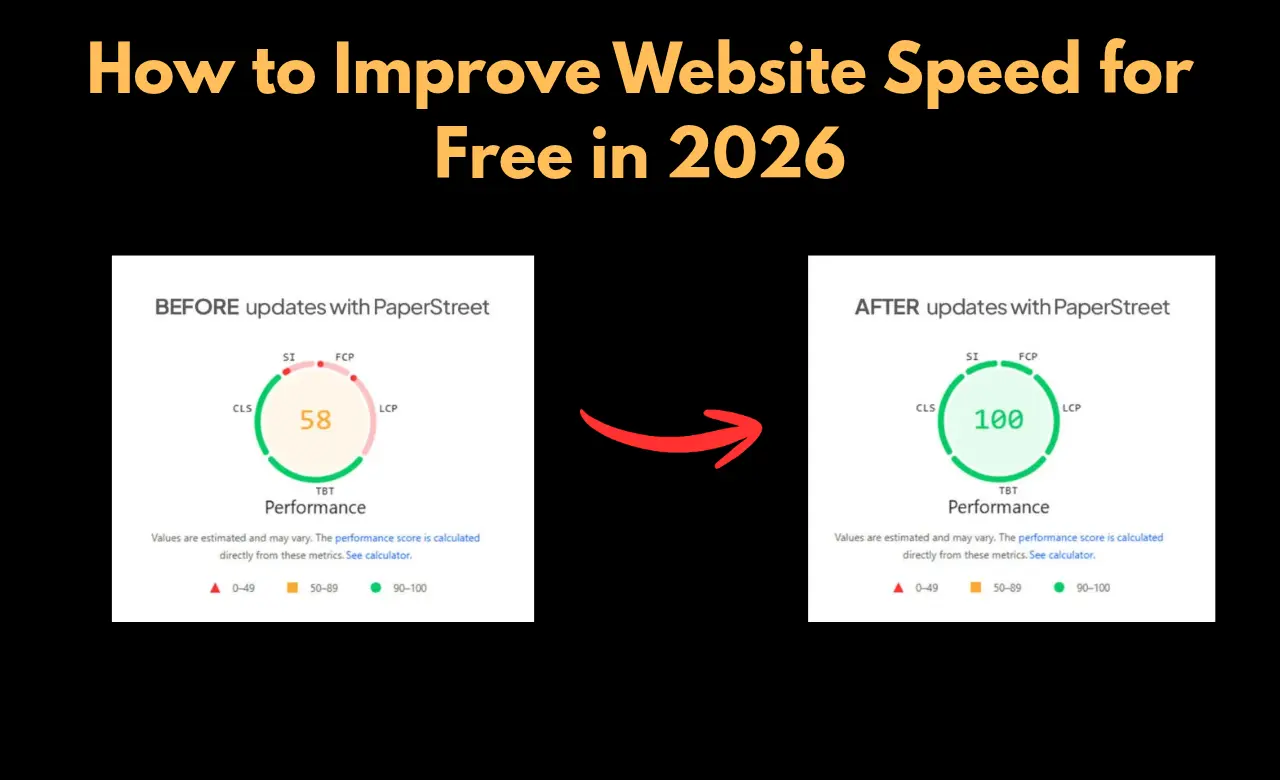
It is also important to test the website after optimization. First of all, you have to test it once and save its screenshot. When you optimize the website, then you will be able to compare and check how much the score was before and how much it has increased after improvement. That is why testing is important. Many times, what happens is that the score increases, but what is important is the core web vital and user experience, more than this is known.
Conclusion
See, if you are improving your website, then you should keep some things in mind like first of all you have to test the website, how is it working, what are the problems, after that you have to take a backup of everything so that there is no problem in the future, after that you have to improve the images, then whatever useless code is there which is not related to the website, it has to be removed and whatever other problems are there, they also have to be improved step by step, then in the end you test it, from which you will see the difference, you can also use tools to check the website.
Related Article:
Best Free Website Design Tools for Beginners 2026How I Built My First Portfolio Website
FAQ
Q1. How can I improve website speed for free?
Ans: You can improve your website by compressing images, using the WebP format, and removing unnecessary scripts.
Q2. What is a good website speed score?
Ans: If your website score is 90 to 100, then it will be considered the best score. If it is 50 to 89, then you need website improvement. And if it is worst, then 0 to 49 will be considered the best score.
Q3. Do large images slow down a website?
Ans: Yes, large size images can slow down the website and may also cause layout shifting.
Q4. Does website speed affect SEO?
Ans: Yes, if your website is slow, it will also affect SEO because core web vitals check everything, in which user experience is also important. If the user experience of your website is bad, then there can be problems.